Moving a production PostgreSQL database to a different hosting environment is more than copying tables. Applications depend on users and roles, extensions, connection strings, scheduled jobs, backup procedures, and a predictable way to recover when something goes wrong. A successful PostgreSQL hosting migration starts with an inventory and finishes only after the application has been tested against the destination.
This guide is for application owners and DBAs moving PostgreSQL between virtual machines, hosting providers, or managed environments. It explains the major migration choices, a practical rehearsal, a controlled cutover, and a rollback plan. The appropriate method depends on database size, versions, write activity, recovery objectives, and what access the hosting providers permit.
1. Define success before choosing a migration method
Write down what the business can tolerate. The recovery time objective (RTO) is the target time to restore service after disruption; the recovery point objective (RPO) is the maximum acceptable data loss. Neither is guaranteed by simply selecting a migration tool. Set an approved maintenance window, identify the person authorized to make the cutover decision, and document the point at which you would revert to the source.
Also record the application’s normal traffic, largest tables, write rate, data growth, and dependencies such as reporting jobs and background workers. A database that restores quickly in a lab may take much longer when production indexes, network throughput, and validation are included.
2. Inventory the source and destination
Before copying data, compare the PostgreSQL major versions and available extensions. Review database encoding and collation, schemas, roles, ownership, privileges, tablespaces, connection limits, SSL/TLS requirements, and any external integrations. Verify that the target can support the application’s required extensions and configuration; managed services may restrict superuser access and certain extensions.
- Database objects: tables, views, materialized views, functions, triggers, sequences, partitions, and large objects.
- Security: login roles, grants, application credentials, network allowlists, and certificate trust.
- Operations: backups, restore procedures, monitoring, replication, scheduled tasks, and maintenance jobs.
- Application: connection pools, DNS, environment variables, migration scripts, and dependencies on source-specific paths.
Use this inventory to build an acceptance checklist. A database restore is not complete just because every table appears in the target.
3. Choose the migration approach that fits your downtime
Logical dump and restore
pg_dump creates a consistent snapshot of one database and is often a practical choice for smaller databases or migrations that can accept a defined write-free cutover window. A custom-format dump can be restored with pg_restore. Remember that changes made after the dump’s snapshot are not included: a final synchronized export or a write freeze may be needed. pg_dump does not capture cluster-wide roles and tablespaces; plan for those separately.
Physical backup or streaming replication
Physical methods can be useful for compatible environments, but streaming physical replication generally requires matching PostgreSQL major versions and compatible system characteristics. Do not assume it can move a database directly between different major versions or into a restricted managed service. Confirm platform, version, and provider requirements first.
Logical replication
Logical replication can reduce the time needed for a final cutover by transferring changes while the source remains active. It adds complexity: PostgreSQL does not replicate schema DDL or sequence state through standard logical replication, and application-specific objects require review. Monitor replication lag, validate table coverage, synchronize sequences as needed, and stop writes before the final consistency check. A lower-downtime migration is not automatically a zero-downtime migration.
Practical rule: use a tested dump-and-restore approach when a maintenance window is acceptable; evaluate replication when the database is large or the write-free window is short. Test the chosen method under realistic conditions rather than selecting solely on theoretical speed.
4. Take and test a recoverable backup
Confirm the existing backup schedule and retention before changing anything. For a logical migration, a representative example is:
pg_dump -h SOURCE_HOST -U BACKUP_USER -d APP_DB -Fc -f app_db.dump
pg_restore -h TARGET_HOST -U RESTORE_USER -d APP_DB --verbose app_db.dump
These commands are examples, not a complete production runbook. Create and secure the target database, configure roles and privileges, and confirm the client/server version compatibility before running them. Use approved credential handling rather than placing passwords in scripts. For cluster-wide roles and tablespaces, review pg_dumpall --globals-only and adapt restoration to the target’s privileges and policies.
Check the command exit status and warnings, then perform a test restore. A backup file’s existence does not prove it can restore. For systems using physical backups and WAL archiving, verify the actual recovery process and recovery point, not merely that archive files exist.
5. Rehearse the migration end to end
Build a non-production destination with representative data. Measure how long the export, transfer, restore, index creation, application validation, and DNS or connection changes take. Test permissions using the application’s real database role, not only an administrator account. Confirm extensions, triggers, sequences, stored procedures, and background jobs behave as expected.
Run realistic read and write tests, compare important row counts and business totals, and inspect slow queries and connection usage. When upgrading versions, review compatibility and extension support carefully. Keep a record of any manual steps discovered during rehearsal so the production runbook is repeatable.
6. Prepare the cutover and rollback decisions
Publish a short runbook with owners and times for each step. Notify application stakeholders, verify backups, and define a go/no-go checkpoint. Reduce DNS TTL in advance if DNS is part of the connection change, but remember that connection pools and client caches may retain old connections.
- Confirm the destination is ready and that the latest rehearsal passed.
- Pause scheduled jobs and stop or drain application writes at the agreed time.
- Capture the final changes using the selected method; for logical replication, verify lag and sequence state.
- Run the final data and object checks, then update application connections.
- Perform smoke tests: login, key transactions, reports, background jobs, and error logs.
- Keep the old environment protected and available until the agreed rollback window ends.
Rollback needs a decision boundary. Before writes resume on the target, returning to the original source may be straightforward. After new writes occur on the target, simply pointing applications back at the source can lose those changes. Define how post-cutover writes would be reconciled, or declare a controlled recovery procedure instead of promising an instant rollback.
7. Validate after go-live
For the first operating period, watch application errors, PostgreSQL logs, active connections, replication state if used, query latency, disk usage, and backup success. Verify the first scheduled backup and, where feasible, a restore test on the new environment. Review user permissions and confirm old credentials and access paths are retired only after the rollback period and stakeholder approval.
Capture a final acceptance record: migrated databases, object checks, critical transaction results, outstanding issues, and who approved the change. This turns a technical move into an auditable operational handover.
PostgreSQL hosting migration checklist
- Business RTO, RPO, maintenance window, and rollback owner agreed.
- Source versions, extensions, roles, privileges, and application dependencies inventoried.
- Destination compatibility, storage, network, and security validated.
- Migration method and final-write handling documented.
- Backup completed and restore rehearsal passed.
- Application read/write tests and data validation passed.
- Cutover, monitoring, and rollback criteria approved.
- Post-cutover backup and operational ownership confirmed.
Frequently asked questions
Can PostgreSQL be migrated with no downtime?
Some architectures can keep the interruption short, but a final connection switch and consistency check still need careful coordination. Downtime depends on the application and method; it should be measured in rehearsal rather than promised in advance.
Does pg_dump include database users?
No. pg_dump covers one database, not cluster-wide role definitions. Review pg_dumpall --globals-only and the destination’s role-management model.
Should I choose shared or dedicated PostgreSQL hosting?
Start with workload, administrative control, isolation, performance requirements, and operational responsibilities. Read our PostgreSQL shared hosting and PostgreSQL dedicated hosting pages to compare the available deployment options. Confirm actual inclusions and service responsibilities before making a decision.
Plan your next PostgreSQL move
If you are evaluating a new PostgreSQL environment, use this checklist to identify the access, compatibility, recovery, and cutover questions to resolve first. Explore shared PostgreSQL hosting or review dedicated PostgreSQL hosting, then contact DanyTech Cloud through the website to discuss your requirements. Migration scope and available assistance should be confirmed before any commitment.
Technical references
- PostgreSQL documentation: pg_dump
- PostgreSQL documentation: SQL dump and cluster-wide objects
- PostgreSQL documentation: logical replication restrictions
- PostgreSQL documentation: continuous archiving and point-in-time recovery
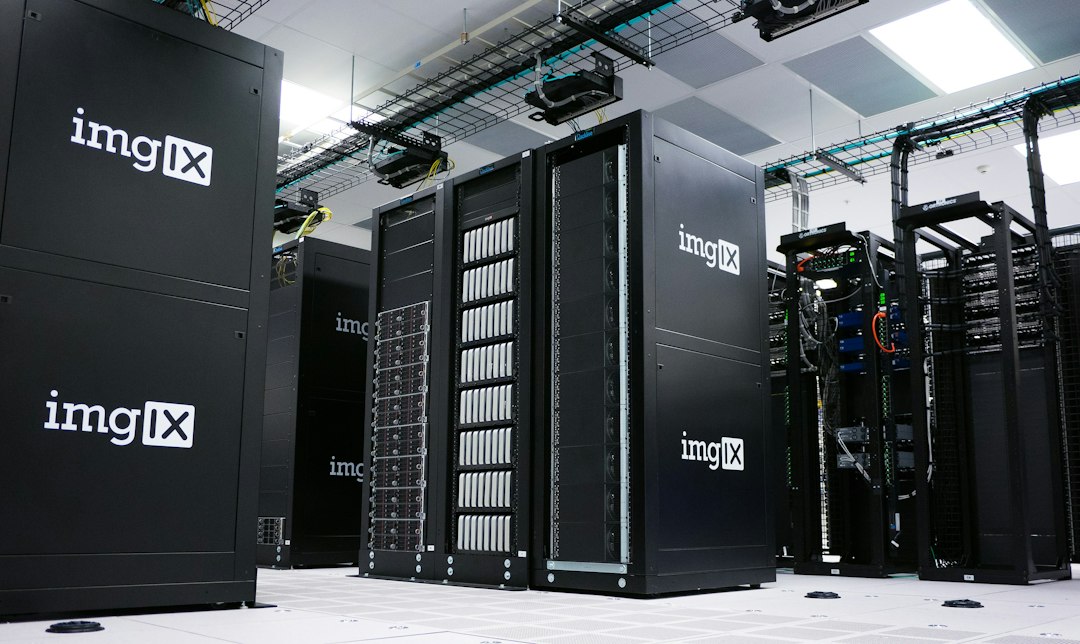
Featured image: imgix / Unsplash. Illustrative data-center photograph; not a depiction of DanyTech Cloud infrastructure.